Web This Blog

Powered by Blogger

Is it the end of the road for FeedReaders in India?

Del.icio.us | Digg | Google | Reddit
"If you are in India and can use internet, you have to have an orkut account" - this is an unwritten rule. Almost everyone in India (a lot many below 18 years of age as well, which is against the T&C) has an orkut account. That is why orkut is now the second most visited website in India after Yahoo.

Today, orkut launched a new feedreader feature in orkut. This allows you to add blog and website feeds you follow so that you may directly read these feeds from orkut.


Does this mean that with the launch of this feature, it is virtually the end of the road for the feedreaders in India?

RSS Awareness

One huge pro that I see with the introduction of this feature is the awareness about RSS to the common internet surfer. For all the hype around how simple internet has become after RSS, a majority of them do not know or use RSS. It is still the tech-savvy users who still use feed readers. Now that people will come to know that you can read blogs via orkut, the awareness about feed syndication is going to proliferate.

Are Feed Readers out?

As the existing bloggers promote their friends in orkut to follow their blog via the feedreader, I see the general readership increasing for blogs. But, we should remember that while people add feeds, they might not actually follow them. This could turn out to be another feature like the orkut communities where not everyone frequents though everyone on orkut has quite a list of communities subscribed to.

The bottom line however is that this feature WILL increase the awareness about RSS feeds. There are quite a good number of feedreaders on the web today that are way better than what orkut has to offer that the introduction of this feature shall only open up the gates for many more people to subscribe to the other popuar feedreaders.

This then boils down to the feedreaders which rank top on the Search Engines and on the word-of-mouth. Because these are the two avenues the new feed reader will use to find a feedreader which is better than what orkut has to offer.

Labels:

Embed Flickr slideshows on your blog

Del.icio.us | Digg | Google | Reddit
You might have noticed slideshows of pics on Flickr. There is an easy way, as Paul Stamatiou tells us in his blog. For this, first tag all the photos that you want to display on your blog with one specific 'tag'. Once you do this, the next step is to insert the following code inside your blog post.


In the above code, replace "1234567" with your own flickr id and replace "foo" with the tag that you want a slideshow of. Paul's original blog on this in fact has many more options that you may edit, but which is generally unnecessary for a primary set up.

For an example, here is a flickr slideshow of the "Evolution of Yahoo" that I had made for my other blog, Nice Ideas.

Labels: , ,

Beautiful colors for your blog

Del.icio.us | Digg | Google | Reddit
Bloggers often tend to tweak the blog template that they find online, and those who are not well-versed with CSS and HTML codes atleast try changing the default colors so that their blog gets a unique look.

But, the sad part is that the color codes in HTML are mentioned in six digit hexadecimal codes which are at best, undecipherable. For example, white is denoted by #FFFFFF, black by #000000.

You can use Adobe Photoshop to find the color code that you were looking for. But, I found a much easier way online at ColorBlender. This website provides an online platform for you to try different combinations of colors to find the color code of your choice.


Basically, the utility of the website exetends beyond just amateur webmasters. You can also download the color blends for further work in Photoshop or Illustrator. But, do not worry if you have still not found the right color and you have to go. The website remembers where you left it last time around, if only you have browser cookies enabled!

Labels: , ,

Watch TV Online while chatting with friends

Del.icio.us | Digg | Google | Reddit
IMvite was launched as a free to use website to view TV channels online. Now, the website has improved further upon this service to now allow users to view TV online while chatting with friends.

IMvite has come up with a TV messenger, which can be downloaded to simulataneously use AOL, MSN and Yahoo messengers for chat. Along with this, the messenger also allows you to browse TV channels, listen to radio channels, surf movie trailors, etc.


The basic purpose of this website is to achieve a consolidation between the 'entertainment' users seek through three media: TV, radio as well as online. You might want to download the messenger here.

Labels: , , ,

SMS Backup on your Yahoo mailbox

Del.icio.us | Digg | Google | Reddit
Yahoo India has now a new feature to help you create a backup of your important SMSes. To avail the SMS Backup service, all you need is a Yahoo email id. Though the registration is free, this Value Adding Service(VAS) charges rates based on your network provider.

HOW IT WORKS:

You specify the mobile phone number corresponding to your Yahoo email id (you may also have more than one mobile number for an email id). After verification of the number, you can start using the service. To backup the message, you need to forward the SMS message to 82438243. The message gets stored on your SMS Backup folder of your mail inbox, which you can always check online.

TO NOTE:

Yahoo has only recently launched this, and hence a few of the desired features are still missing. For example, you may not yet start forward MMS and picture messages. Also, messages saved in the mailbox cannot be downloaded back on your mobile phone. Thirdly, information regarding the sender cannot be saved, as the mail is forwarded from your number only.

Labels: , , ,

Elicit - Blog client software for enhanced content quality

Del.icio.us | Digg | Google | Reddit
Bloggers typically require quite a bit of research before making a post. For example, if I were to write about 'Google acquires YouTube', I would have to search Google News for looking up the exact value of the deal, search Flickr for a Google/YouTube logo, search Wikipedia for the history of the two companies, etc.

I found this extremely useful tool which can be used by bloggers to make their work easy. Elicit provides you a common platform for most of the popular blog platforms including Blogger, Wordpress, Movable Type, Live Journal. The different resources that you may require are available in the form of 'docklets'. Docklets are windows that pertain to each of the resources that the blogger may require such as Flickr, Yahoo News.

For example, take Amazon. Elicit offers you a docklet for Amazon, which you may use to search for relevant books, the links for which you may put on your blog to make money. Now, this docklet contains the book image, details and also a tab where you may enter your affiliate-id so that it appears in the link you put on your blog. You may simply click-and-drag items from a docklet to the editing screen to include them in your post.

There are quite a lot of docklets available with the software now, though there does not appear an option to include your own docklet at this stage. Elicit also comes with the feature to 'time' your posts so that they are published at the specified time. That means, should you be out of station for a week, you may time your posts to be published one everyday so that you retain your leadership. (You anyway need to keep the internet on for the whole week!)

Unfortunately Elicit is NOT free. Fortunately though, you may try the product free for 30 days. Do visit the demo tutorial which is pretty useful.

Labels: , ,

Create your own remixes

Del.icio.us | Digg | Google | Reddit
Happy New year!

If you had been to a party for the New Year celebrations, and loved the remixes that were played, you definitely would want to make something of your own. JamGlue is a website that offers users to create and remix music online.

How JamGlue Works

JamGlue is rather easy to use. There are several options to remix. You can either upload your own music to remix. Or, create remixes from music already available; Or, break down remixed music to shuffle and put in new music of your choice.

The website offers clean visual interfaces that are easily understandable for newbies. Also, the website also allows you to embed your 'published' music on your blog, or download the music.

Note that the website only allows music that are available under the creative commons for use.

Labels: , ,

Create your own Video surfing webpage

Del.icio.us | Digg | Google | Reddit
YouTube has an option to create your own playlist.
That is a channel for all your favorite videos.
What if your favorites extended beyond only YouTube?
There are two options:
  1. Embed all the videos manually on your webpage
  2. Use Feedbeat
In fact, Feedbeat goes beyond simply adding all video
content on your webpage. Feedbeat, offers a
bookmarklet for you to add videos on a page directly
to your list by a mere click of a button.

Other features include a feed for your videos. This is
of particular use to those who would want to make the
feedbeat page a place for their video podcasts. You can
check for sample feedbeats here.

I found this video on YouTube which provides more
insight into the working of Feedbeat.

Labels: , , , ,

Aggregate your Social Networks

Del.icio.us | Digg | Google | Reddit
With increasing number of social networking websites, inevitably, there has to arise websites that help in consolidating the various profiles you maintain at these numerous pages.

These new breed of websites are called Social Network aggregators and they provide you one platform where you enter all your profile information, which can be automatically updated at the various profile pages. For example, Profile-Linker gives you a platform to manage over 70 social networks, including big names such as MySpace, FaceBook, LinkedIn etc.

With value-added features like customized toolbars to alert you when you receive a message from one of the several network websites, a social network aggregator such as this is going to be inevitable in the future.

Labels: , ,

Previewing links: Snap Vs. Cooliris

Del.icio.us | Digg | Google | Reddit
Snap was launched as "the other way to search" concept. Accordingly, while the conventional search engines judge the usability of a destination page based on the text content it has, Snap does so based on the seeming usability it offers through an preview screen of the page that the user could expect to land on.

Taking this concept, a plugin is now available at Mozilla for Firefox users. This is called Cooliris and offers to provide the same preview as is available to the users of Snap. Here are a few points I gathered while using the two softwares simulataneously. Note that the comparison provided is purely based on the preview utility alone.

I feel that Snap is much faster than Cooliris when it comes to loading the destination link. I made this observation after numerous trials on different pages which had Snap installed on them.

Snap, though it loads quicker has low utility on most occasions since the preview screen is too small to comprehend what is in store. Cooliris, on the other hand has a big enough screen.

Cooliris is not in fact showing a preview. It is actually opening the link, though in a preview type window. This could be one reason why Cooliris takes so long to open the preview window.

Continuing on the previous point, while Snap only allows you to click to enter the page, Cooliris allows you to browse the page, click on a particular link there and thereon continue as well. However, you cannot preview a link inside the preview screen!

Bottom line is that both the utilities do not offer what the user wants. Ideally, I would ask for a big screen preview of a cache page so that

1. My preview does not count as an actual visit,and
2. I can actually browse through the page to know if I can find what I want there.

Snap seems to have developed this utility mainly as a means to popularize its more valuable Search function. My two cents will be that, if you are a webmaster, then do NOT go for a Snap installation. Most of the top bloggers have already removed Snap from their page after poor visitor feedbacks.

However, if you as a user would want to 'preview' web pages, you can go with cooliris. But, as I had already made my point, Cooliris is more about actually loading the page rather than a preview.

Labels: , , , , ,

Good Mash-up tutorial

Del.icio.us | Digg | Google | Reddit
Incidentally, after my last post regarding Mash-ups, I found a good tutorial on what Mash-ups are and how they work. The presenter is David Berlind, executive editor of ZDNET. You may watch the video, if you did not have a good idea of what Mash-ups are before this.
Video Link

Labels: , , ,

Build your own map

Del.icio.us | Digg | Google | Reddit
Building maps are one of the most common amongst mash-up programmers. Some of the most well known and popular maps available on the internet are Google Earth and Virtual Earth. There are a lot of mash-ups based on these like the MapBuilder and Wayfaring. These websites let you build your own maps for your own use. Like, I found this one from the MapBuilder site about where to find Christmas lights in one particular county.
Here are two good tutorials I found on this subject. One is by Dan Theurer who talks about building your own maps mash-up and the other is by Rasmus Lerdorf, the founder of PHP and now at Yahoo, who talks about the Yahoo Maps API using PHP and Flash.

Related : Mashups - How internet grows from here

Labels: , , , ,

Encrypt your email for security

Del.icio.us | Digg | Google | Reddit
Some companies have started scanning the emails of their employees for security purposes. Though this is for good, it can also hamper other innocuous things like unofficial emails to friends from your office email id.

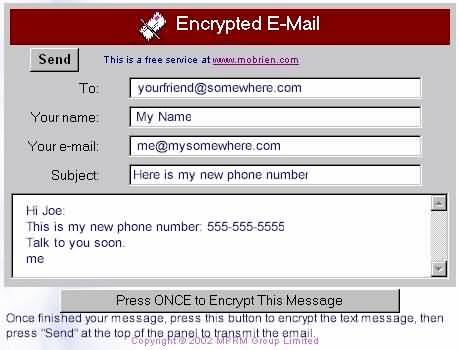
Mobrien is a software that helps you to encrypt your email message. What you need to do is go to their website, and after you obtain a temporary password, click on the 'Send out an encrypted email' button. You shall then be taken to a new window where you can send an encrypted email.

The receiver shall receive instructions on how to read the encrypted email. So, all along the email remains encrypted. I understand this would most often serve only malicious purposes, but felt that with so many softwares emerging to serve email encryption, I should review atleast one of those I know about.

Labels: , ,

Gmail feature to integrate all your emails

Del.icio.us | Digg | Google | Reddit
Google has recently introduced a new exciting feature in gmail. As per this, you can now integrate all your email ids (i.e upto a maximum of five) under one gmail account. Since this is in beta, not all gmail accounts have this feature. Nevertheless, you can check if your account has also got the feature enabled. Goto Settings - Account. If you can see information on adding new email ids, then lo you have it.


So, what can you do with this? You can receive email ids from your other account to the default gmail account. This apart, you also have a feature to send emails (You can choose the FROM address of your choice as well!!!)from any of the ids, though you shall only be operating from one account.

Now, if you have the feature enabled on your account, all you have to do is to enter the email id, and let the authorization code reach that email id. Once that is done, you can start right away!

Labels: , ,

Display RSS feeds as a Screensaver

Del.icio.us | Digg | Google | Reddit
Screensavers are most often chosen to display your attitude or passions. However, newer softwares allow you to customize screensavers to show your RSS feeds. NuParadigm offers a free download of a software to set up your RSS feeds to be displayed as a screensaver. The software looks to offer much more than a screensaver, in fact, as you can also use your keyboard arrow keys to navigate between stories, use your spacebar to open a story, etc.

NuParadigm is not the only one available. There are infact quite a few more as well. There is another popular software, the Tiger's Quartz composer which helps the user to create a customized RSS Screensaver. Microsoft has its own version, RSS "Screen Saver Starter Kit".

However, I felt NuParadigm should be much more useful as the other two softwares need a few prerequisites. Tiger's Quartz Composer works on Mac OS only. RSS Screen Saver Starter Kit, meanwhile, requires you to install the .Net framework. NuParadigm is just click to start if you don't have either of the other two prerequisites.

If you would want to download the .Net framework in order to try out the Microsoft product, you can do so here.

Labels:

Hide Windows from Boss - hot key from MrHyde

Del.icio.us | Digg | Google | Reddit
If you are my kind, then you surely do not want to display Internet Explorer windows that you have kept open to track cricket scores or to simply chat or orkutting, while at office. I found this nice software that helps you to define a hot-key which you can invoke to automatically hide all the windows on your computer screen that you do not want your boss to see when he comes on his rounds. Also, you can get your screen back to what it was when he has left.

The MrHyde software is a freeware and can be started as and when Windows is loaded. There is no icon or other stuff of MrHyde; so it is only you who know that the software is running. Pretty useful for office surfers!

Labels:

One-click automatic social bookmarking

Del.icio.us | Digg | Google | Reddit
If you notice my blog, I have a link for you to bookmark my blog above each of my blog entries. With so many social bookmarking tools available, it can sometimes get clumsy there, or I might fail to provide the, exact bookmarking tool that you, as a visitor use.

Socializer is an alternative to this mess. Socializer, itself is not a bookmarking tool, but it serves as a middleman, and with one click helps to submit the blog to the entire gamut of online social bookmarking websites available.

This shall help both the blogger in reducing the clumsiness of his website, as well as the reader, as it helps for universal bookmarking.

PS: Sorry, I have not put it in myself. I shall do it soon :)

Labels: ,

Automated VOIP calls to your rescue

Del.icio.us | Digg | Google | Reddit
How many times have you been stuck up at a place you did not want to be in, and was only hoping that one of your other friends makes a call to your rescue. Now, you can help yourself.

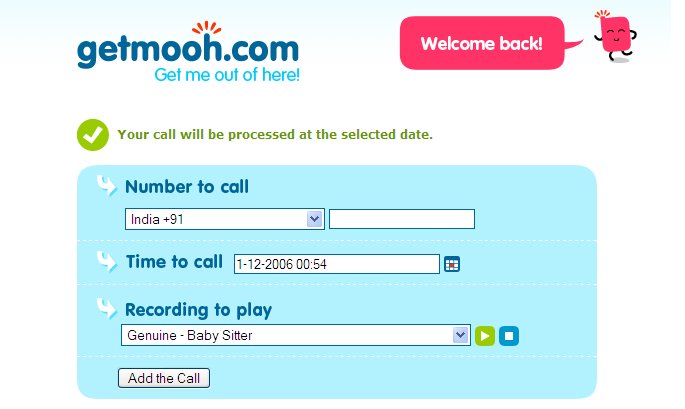
GetMooh is an automated service especially for this purpose. The service works on VOIP technology. First you need to register yourself with your email id and your own mobile number. The password is sent to you via sms.

Once done, you can choose the number to call (it can also be your friend on his birthday!), and the date and time to call. There are a lot of pre-set template messages to choose from.

A nice feature that is fun as long as it is not for SPAM or other malicious purposes.

Labels:

Online text summarizer

Del.icio.us | Digg | Google | Reddit
Often, you may have to come across lengthy text that you do not have the patience to go through in totality. It is here that summarizing tools come handy. Though some of the effective Text Summarizers require you to download the software (and the most effective ones need you to purchase them), there are quite a few online text summarizer softwares.

Nling offers their online text summarizer. I found it pretty decent to use for minor purposes. In fact, most often it delivers the most important points. There is one general idea, and an option to choose how broader you want the summary to be, which is kinda good.

The only problem I had was that you cannot enter a URL for the software to summarize. You shall have to inevitably copy and paste the text. But I understand that will only dilute the quality of the summary as the software mught find it difficult to distinguish the actual text from the sidebar content and stuff.

Labels: ,

Face Recognition Software

Del.icio.us | Digg | Google | Reddit
Face recognition softwares are going to be the way for future technology. And that technology has already started making news. MyHeritage is a website specializing on face recognition technology.

Upload your photo and you can view all the celebrities you resemble. My comment: Not all photos meet your expectations, but I believe that even if one picture makes you feel that this software indeed uses brain, then the future is secure.

Labels:

Creative Commons
Internet Business Strategies,Business Marketing and Business Management